

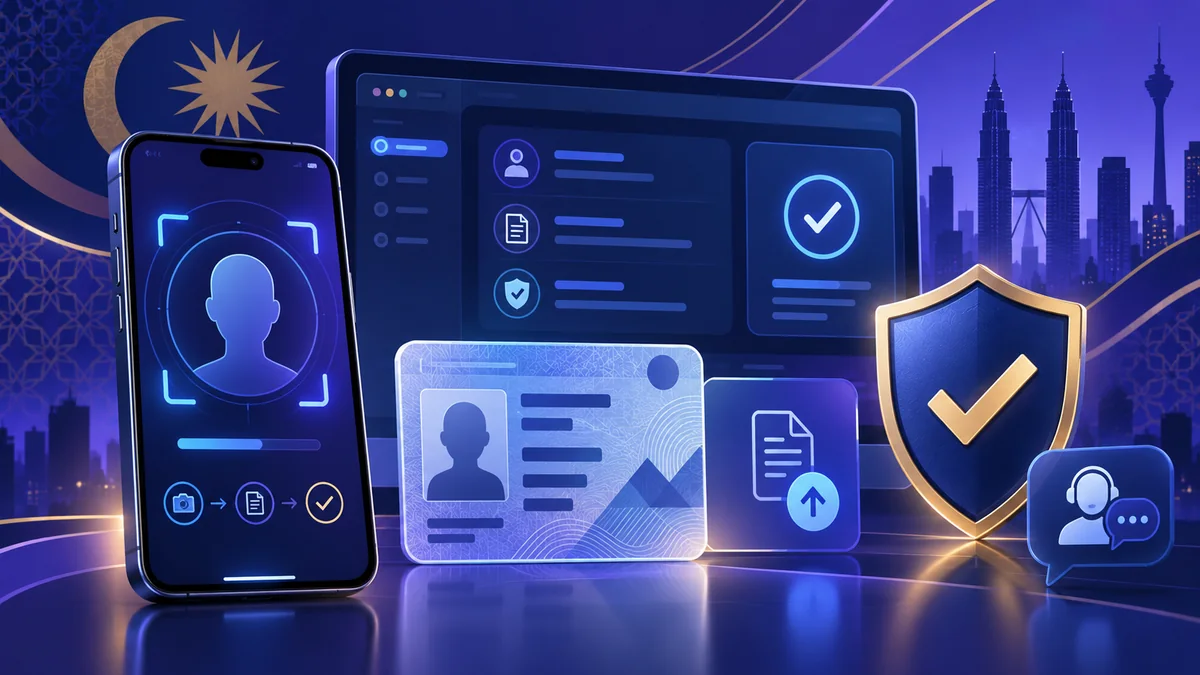
Bodabet KYC is the account identity-check process a user may see before or after registration, during an account review, or before certain account functions are available. KYC means “Know Your Customer”. In practical terms, a Bodabet verification request can ask the account holder to confirm that the name, contact details and identity evidence belong to the same person.
This Bodabet KYC verification guide explains how to prepare for that request without guessing the live requirements. The public Boda8 home and registration entry points were reviewed on 8 October 2026, but no account was created and no private verification screen was submitted. Because accepted evidence, upload fields and review steps can change, the instructions inside the current Boda8 account and the official support response control each real case.
The aim is simple: help a Bodabet user understand the request, prepare readable information, protect personal data and respond to a status message efficiently. This article does not promise approval, a fixed review time or a universal document list. It separates general e-KYC practice from claims about the current Bodabet workflow.
1. What KYC verification means
KYC is a general identity and customer-due-diligence concept. It normally combines identification—collecting details that describe a person—with verification—checking whether those details are supported by reliable evidence. A digital process may also use authentication or a liveness step to check that the person controlling the device is the person represented by the evidence.
For a Bodabet account, the useful question is not only “Which document should I upload?” Start with “What is this request trying to match?” A screen may be checking the account name, date of birth, mobile number, residential information, payment ownership or a recent account activity. Read the complete verification message before selecting a file, because an identity request and an address request solve different problems.
Bank Negara Malaysia describes e-KYC as a way for covered financial institutions to verify identity digitally and support secure remote onboarding. FATF guidance similarly separates identity proofing, enrolment and authentication, and recommends a risk-based assessment of digital identity systems. Those sources explain the wider concepts; they do not establish that Bodabet is a financial institution, that the same rules govern Boda8, or that a particular document will be accepted.
Bodabet.info is an independent guide. It does not receive KYC files, passwords, OTP codes or account decisions. Use the Bodabet registration guide for the public account-opening sequence, then use this article when an actual verification notice appears. Keeping those two stages separate helps prevent a user from sending sensitive data before it is requested.
2. When a Bodabet account may show a verification request
A KYC prompt can appear at different points, so do not assume every account follows one timeline. An online service may verify details during onboarding, after a profile change, when payment ownership needs confirmation, during a security review or before an account feature is released. The exact trigger is private operational information and may vary by account.
Read the wording and location of the Boda8 prompt. A message inside an authenticated account, a cashier status, an email notice and a support-chat reply may each contain different next steps. Confirm that the message refers to your own Bodabet username and the task you were performing. Never treat an unsolicited social-media message as sufficient proof that a KYC request is genuine.
If the notice arrives while you are trying to sign in, solve access first. The Bodabet login troubleshooting guide covers username, password, OTP, browser and network checks. Do not create a second account to bypass a verification screen; duplicate profiles can make name and ownership questions harder to resolve.
| Where the request appears | What to confirm first | Useful next step |
|---|---|---|
| Registration or profile panel | The account name and contact details are spelled correctly | Read every required field before preparing evidence |
| Cashier or withdrawal status | The account holder and payment-owner names match | Open the exact status details; do not guess the missing item |
| Security or account-review notice | The message is inside the current Boda8 destination | Record the case reference and stated action |
| Email or chat reply | The request corresponds to a case you opened | Return through a verified Bodabet route before uploading |
A genuine KYC request should give enough context to identify the task. If the notice is vague, ask official support which field or evidence type remains outstanding. The Bodabet customer support guide shows how to prepare a concise case description without posting documents publicly.
3. Prepare only the evidence the current Bodabet screen requests
There is no safe reason to publish a universal “guaranteed KYC document list”. Services can change accepted evidence, and the appropriate item depends on whether the request concerns identity, address, payment ownership or another account fact. Use the wording shown in the current verification panel or supplied by verified Boda8 support.
Common identity-verification systems may ask for a government-issued identity document, a passport, a driving licence, a selfie, an address record or proof that a payment method belongs to the account holder. This is general context only. It does not mean Bodabet currently accepts, requires or retains every item in that list. Uploading extra material can expose more personal data without solving the requested check.
Before you photograph anything, compare the account profile with the evidence you intend to use. Check the full name, date of birth and any visible address. If a transliteration, spacing difference, expired document or recent address change exists, make a note. Do not edit the source image to force a match. A truthful explanation through official support is safer than an altered file.
Use one current, original source at a time. Screenshots of compressed chat attachments, photocopies photographed from another screen and cropped thumbnails often lose detail. If an upload field specifies front and back, file type, maximum size or colour image, follow that instruction exactly. Do not assume a file accepted by another site will meet the Boda8 upload rules.
Prepare the upload privately. Close unrelated photos, messages and notification previews before using a file picker. Give the file a neutral local name such as identity-front.jpg; do not put the full identity number in the filename. Keep the source outside shared work folders and remove duplicate exported copies when the Bodabet case is complete.
4. Make a document image readable without altering it
Image quality is one of the few parts of a Bodabet verification submission a user can control directly. Place the document on a plain, contrasting surface under even light. Capture all four edges, keep the camera parallel and make sure the name, portrait and requested fields are in focus. Avoid fingers, glare, deep shadows and patterned backgrounds.
Use the original camera image when possible. Messaging apps and repeated screenshots can shrink text or add compression. Review the image at full size before returning to the upload field. If you cannot read the required information at normal zoom, the reviewer or automated check may also struggle to read it.
Do not use filters, beauty modes, generative fill, blur tools or selective editing. Cropping should only remove unrelated background when the live Bodabet instructions permit it, and it must not remove an edge, security feature or requested field. Never combine the front and back into one collage unless the panel explicitly asks for one file.
If the upload field rejects the image immediately, note the displayed file rule before trying again. A failure can be caused by format, dimensions, file size or an incomplete upload rather than the identity evidence itself. Repeating the same large file over an unstable connection rarely fixes a technical limit.
| Quality check | Good submission | Common reason to retake |
|---|---|---|
| Framing | Every requested edge and side is visible | Cropped corner, covered number or missing reverse side |
| Focus | Text and portrait remain sharp at full size | Motion blur, digital zoom or heavy compression |
| Lighting | Even light with no reflection over key fields | Flash glare, shadow or colour cast |
| Integrity | Original colour image with no edits | Filter, annotation, collage or altered field |
| File rule | Matches the format and size shown by Boda8 | Unsupported type, oversized file or interrupted upload |
5. Complete a Bodabet selfie or liveness check carefully
A selfie checks appearance; a liveness sequence may also ask the user to turn, blink, centre the face or follow an on-screen movement. Not every Bodabet review will use this step. If one appears, read the current instruction before granting camera access and make sure the final browser hostname is the verified Boda8 destination.
Use soft front lighting, clean the camera lens and remove anything that hides the face unless it is required for medical or religious reasons. Hold the device steady at eye level. A bright window behind the user can turn the face into a silhouette, while a very close camera can distort the image and cut off the head outline.
Follow the Boda8 sequence once at a normal pace. Repeated rapid attempts can create inconsistent frames or timeouts. If the camera opens as a black screen, check browser permission, close another app that is using the camera and reload only the authenticated Bodabet page. The Bodabet app versus mobile-browser guide helps distinguish a browser permission problem from an installation question.
Do not send a selfie, identity image or screen recording to a stranger who offers to “approve KYC” in a social group. An identity check is sensitive because the same material may be abused elsewhere. If a live screen behaves unexpectedly, stop, capture only the non-sensitive error message and verify the request through official support.
6. Match account, address and payment details
Clear images cannot fix contradictory account data. Compare the full account profile name with the identity evidence, including order, spacing and spelling. Nicknames, shortened names and another person’s payment method may require clarification. Do not change truthful personal details merely to imitate a different record.
For an address check, confirm which elements must be visible: the name, address, issuer and date may all matter, depending on the current request. A generic envelope or cropped transaction line may not establish the required connection. Do not upload a full financial statement when a narrower approved page would satisfy the exact Bodabet prompt.
Payment verification and KYC overlap when the service needs to understand who controls a deposit or withdrawal method. The Bodabet payments guide explains the broader cashier workflow. Use a payment instrument registered to the account holder where the live Boda8 terms require it, and do not expose a full card security code, password, PIN or OTP.
If a legal name or address changed recently, keep the explanation short and factual. State what changed, when it changed and which current evidence supports it. Ask official support which secure field should receive any additional record. A support transcript should identify the missing requirement; it should not become a public archive of personal documents.
7. Submit KYC data through a verified route
Identity evidence deserves a stricter link check than an ordinary content page. Open the Bodabet destination from a route you intentionally verified, inspect the final hostname and confirm the expected account context before signing in. The Bodabet link verification guide explains hostname, redirect and HTTPS checks in detail.
HTTPS encrypts the connection to the current host; it does not prove that every host is trustworthy. Read the registered domain rather than stopping at a familiar word in a long URL. A page can place “bodabet” in a subdomain, path or advertisement while the controlling domain belongs to someone else. Stop if the destination does not match the route you meant to open.
Use a private device, updated browser and trusted connection. Avoid public computers, shared screen sessions and unknown Wi-Fi for KYC. Make sure a password manager is not filling credentials into an unrelated form. Close any remote-access app before opening identity files.
Never disclose the Bodabet password, email password, banking PIN, one-time password or full card security code as part of verification. An OTP authenticates a live action; it is not an identity-document field. If someone asks you to read an OTP over chat or install remote-control software, stop and contact support through a verified page.
After uploading, record the date, approximate time, file category and non-sensitive case reference. Do not store the document itself in a plain-text note or cloud link. The broader Bodabet safety guide covers account and destination checks that remain relevant after the KYC step.
8. Read Bodabet verification status and contact support effectively
A verification status may say submitted, pending, under review, action required, rejected or verified, but the exact labels can change. Read the full message and its timestamp. “Uploaded” only confirms file transfer; it does not necessarily mean the evidence passed review. “Action required” should identify the next task or the field that needs attention.
Do not promise yourself a fixed Bodabet KYC time based on another user’s experience. Review time can depend on queue, image quality, data mismatch, additional checks and support availability. This guide found no reliable public source for a guaranteed Boda8 approval time on 8 October 2026, so it does not invent one.
Before contacting support, collect the Bodabet username, case reference, current status, submission time, device/browser and exact non-sensitive error text. Never paste the full identity number, document scan or OTP into the first chat message. Ask which item is missing and which secure upload route should be used.
A useful message is specific: “My Bodabet verification panel shows ‘action required’ after an identity image was uploaded at about 14:20 MYT. The image included all four edges and met the displayed file limit. Please confirm which field needs replacement and where to resubmit it.” This gives support a reproducible case without exposing unnecessary data.
If the verification status remains unchanged, follow the interval stated in the current message or support reply. Repeated uploads can create multiple versions and make the record harder to review. Keep one case reference and update that same conversation unless Boda8 instructs otherwise.
9. Common Bodabet KYC problems and practical fixes
Blurry or reflective document. Retake it under even light with the camera parallel to the surface. Confirm every requested field is legible before the next upload.
Name mismatch. Compare the account profile, identity evidence and payment-owner name. Do not edit the document. Explain a real spelling, transliteration or legal-name change through official support.
Expired or unsupported evidence. Read the date and the live Boda8 evidence list. Ask support for an accepted alternative rather than repeatedly sending the same file.
Address evidence is incomplete. Check whether the current Bodabet prompt requires name, full address, issuer and issue date. Use the minimum complete evidence the panel accepts.
Selfie cannot start. Grant camera access only to the verified host, close other camera apps, use front lighting and retry on a supported browser. Do not move the Bodabet session to a link supplied by an unknown person.
Upload freezes or fails. Check the file type, size and connection. Save the non-sensitive error text, sign out safely if necessary and return through the verified Boda8 route. Avoid dozens of rapid retries.
Status stays pending. Check the latest timestamp and any stated review window. Contact support with the case reference and submission time. Do not assume “pending” means rejected, and do not open duplicate accounts.
Unexpected request for secrets. A password, OTP, banking PIN or full card security code is not a document-quality fix. Stop and verify the conversation. The established Bodabet safety alerts provide additional destination and scam-check context.
10. Final Bodabet KYC checklist
- I opened the current Boda8 route intentionally and checked the final hostname.
- I read the entire Bodabet KYC request and know whether it concerns identity, address, payment ownership or another account detail.
- I prepared only the evidence requested by the live panel or verified support.
- The account profile details and evidence describe the same account holder.
- Every requested edge and field is visible, sharp, evenly lit and unedited.
- I followed the displayed file type, size, front/back and camera instructions.
- I did not disclose a password, OTP, banking PIN or full card security code.
- I used a private device, trusted connection and secure upload field.
- I saved the non-sensitive Bodabet case reference, status and submission time.
- I will use one official support thread for clarification instead of creating duplicate accounts or repeated uploads.
Completing this checklist does not guarantee a Bodabet KYC decision. It improves the quality, consistency and security of the information under the user’s control. The live Boda8 panel and official support remain the source for case-specific requirements.
11. Bodabet KYC verification FAQ
What does KYC mean on Bodabet?
KYC means Know Your Customer. A Bodabet KYC request is an identity or account-information check. Read the current request to see whether it concerns identity, address, payment ownership or another detail; the required evidence can differ.
Which documents does Bodabet accept for verification?
Use the evidence list shown in the current account or supplied through verified Boda8 support. This guide does not claim a permanent universal list because accepted document types, file rules and case requirements can change.
How long does Bodabet KYC take?
No verified public source reviewed on 8 October 2026 established a guaranteed Bodabet approval time. Queue, image quality, mismatched information and additional review can affect timing. Follow the status message and case-specific support guidance.
Why was my Bodabet verification rejected?
Read the displayed reason before resubmitting. Common correctable issues include blur, glare, cropped edges, expired evidence, unsupported file format, inconsistent account details or an incomplete selfie step. Ask support which exact field needs replacement.
Can I send my identity document through Bodabet live chat?
Do not assume a general chat box is an approved document channel. Ask verified official support to identify the secure upload route. Never post identity images publicly or send them to an unsolicited social-media contact.
Is Bodabet.info the KYC upload site?
No. Bodabet.info is an independent informational guide and does not collect account credentials, OTP codes or verification documents. Follow a verified Boda8 route and the instructions inside the current account for any real submission.
Research scope: The public Boda8 home page and registration entry points were reviewed on 8 October 2026. No registration, login, KYC upload, payment, withdrawal or support message was completed. General e-KYC concepts were cross-checked against Bank Negara Malaysia’s 2024 e-KYC policy notice and FATF digital identity guidance. Those authorities provide background principles and are not cited as proof of Boda8’s regulatory status, process or approval criteria.
Check the current account instructions
Open the Boda8 account page
Evidence types, upload fields, status labels and review steps can change. Open the current Boda8 route, read the complete request and use verified support when the KYC instruction is unclear.
Check Boda8 Account