

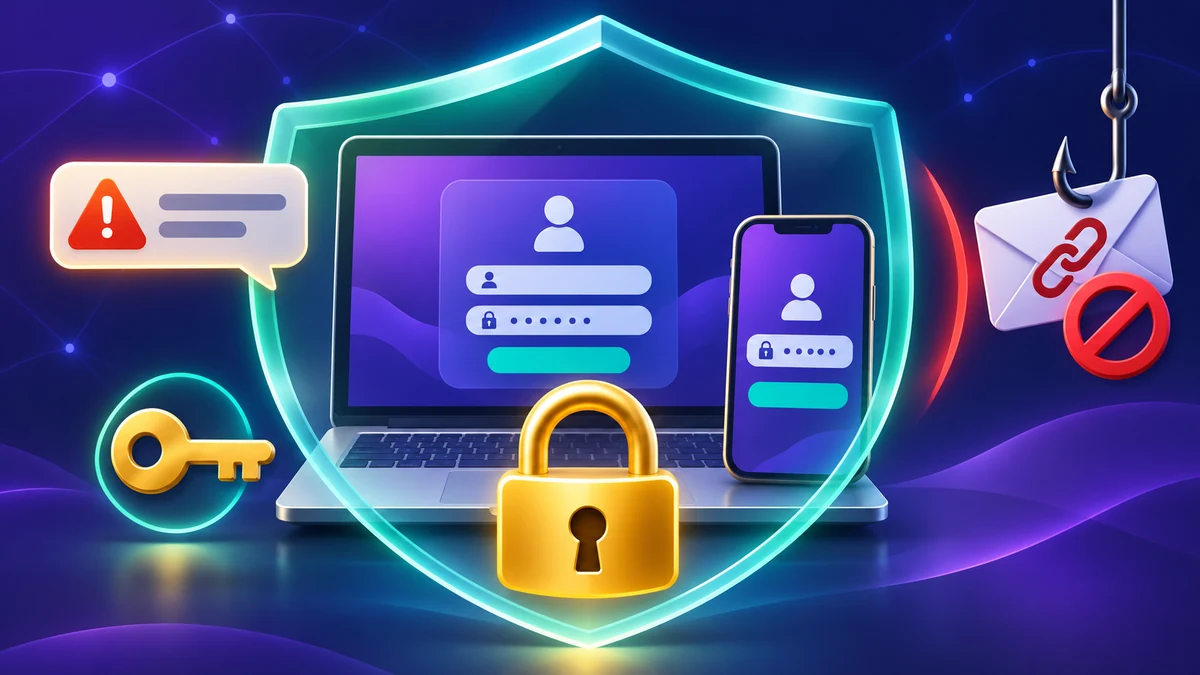
Quick answer: protect your Bodabet account with a password used nowhere else, secure the connected email and phone, inspect the Boda8 hostname before every sensitive sign-in, keep OTPs and recovery details private, update the device you use, and respond immediately to an unexpected alert. If you think the account has been taken over, change the email password first, then change the Bodabet password through a route you have verified, sign out other sessions if that control is available, contact verified support, and check payment activity.
An OTP arrives while your phone is on the table. You did not request it. A minute later, a message claiming to be Bodabet support asks whether the code belongs to you. This is the moment that matters. Do not reply, do not tap the supplied link, and do not assume the message proves that your account has already been hacked. It proves that someone may be testing your details or trying to make you reveal the final piece.
1. Run this 60-second Bodabet safety check
Start with the alert itself. Was a password reset, OTP, login notice or profile change expected? If the answer is no, stop interacting with the message. Open a fresh browser tab from your own bookmark or a route you have already checked. The broader Bodabet safety guide explains the site’s independent-review boundary and the basic evidence to inspect.
Look at three things before you type. Check the complete hostname, check that the browser shows a secure connection, and check whether the page is asking for something unusual. HTTPS protects data in transit. It does not prove that a copied Bodabet login page belongs to the destination you intended. A familiar logo, colour or promotion is also easy to imitate.
| What you see | What it may mean | Safe next action |
|---|---|---|
| Unrequested OTP | Someone may know a username or password and is testing the next step | Share nothing, verify the Boda8 route, then review the account and email |
| Password-reset email you did not start | Someone may be trying to reset the Bodabet login | Secure the email account first and open Bodabet from a checked route |
| Support message asking for a code | Likely social engineering or impersonation | End the conversation and reach support through a verified page |
| Unknown payment or profile change | The Bodabet account or a connected payment method may be compromised | Preserve evidence, contact the relevant provider, and begin the emergency steps below |
If the Boda8 page will not open and there is no security alert, treat that as an access problem first. The Bodabet login troubleshooting guide separates ordinary browser, credential and OTP failures from signs of account takeover.
2. Give Bodabet a password used nowhere else
Password reuse is the quiet route into many accounts. A breach at an unrelated shop, forum or email service can expose a password that an attacker then tries against Bodabet. They only need the same email and password to work in two places.
Create a long Bodabet password or passphrase that is unique to this account. Length matters because every extra character expands the number of possible guesses. Avoid names, birthdays, phone numbers, keyboard patterns and small changes such as adding “2026” to an old password. Do not build it from the brand name, your username or a favourite team that appears on public social profiles.
Current NIST guidance favours longer passwords, supports password managers and warns against arbitrary composition rules that lead people toward predictable substitutions. Its digital identity authentication guidance is general security guidance, not a statement about Bodabet controls. A practical goal is a memorable passphrase with unrelated words or a randomly generated password stored safely.
Never send the Bodabet password through chat, email or a screenshot. A real support process may ask you to complete a verification step inside an account flow. It should not need the secret that signs in as you. If a person says the account can be “repaired” only after you disclose the password, end the conversation.
3. Use a password manager without losing control
A password manager can generate and remember a separate random password for Bodabet. That removes the need to invent a pattern that also appears on banking, email and social accounts. It can also provide a useful warning: if the manager does not offer the saved Boda8 credential on a lookalike hostname, stop and inspect the address.
Google explains how its password manager creates, stores and checks credentials in its Password Manager help. Other reputable managers offer similar functions. This reference explains a tool category. It is not evidence about the current login system.
Autofill is a convenience, not permission to stop looking. Before accepting an autofilled Bodabet password, read the hostname from right to left and confirm the registered domain. A malicious subdomain can place the brand in the left side of a long address while the controlling domain is completely different. The saved credential should be associated only with the destination you intentionally approved.
If the manager reports that the Bodabet password appeared in a known breach, change it from a verified route. Also change any other account that reused it, beginning with email. A new password cannot protect an inbox that still lets an attacker reset the account.
4. Secure the email and phone connected to Bodabet
Your email account is often the recovery key. Someone who controls it may see reset messages, security alerts and identity clues. Give the email a unique password that differs from the Bodabet password. Turn on the strongest verification method the email provider offers, review recovery addresses and remove old forwarding rules or unfamiliar devices.
Check the email account from its own official app or a saved provider address. Search for Boda8 password resets, contact-detail changes or archived security messages you did not create. Attackers sometimes hide alerts by adding filters that mark messages as read, move them to trash or forward copies elsewhere. A clean password is not enough while those rules remain.
Protect the phone number too. Set a carrier account PIN if your provider offers one, use a device screen lock, and keep the SIM or eSIM recovery process private. If the phone suddenly loses service without an obvious network outage, contact the carrier through a known channel. A SIM-swap attempt can affect OTPs for Bodabet, email and payment services at the same time.
Do not place a full account screenshot in a public group while asking for help. Crop unrelated information, hide balances and references, and remove email addresses or phone digits that are not needed. The Bodabet customer support guide shows how to prepare a concise case without handing a stranger the data needed for impersonation.
5. Verify the Boda8 destination before a sensitive sign-in
A copied login page can look exact. The decisive detail is the address controlled by the site, not the logo on the page. Before entering a Bodabet password, expand the full address on mobile, find the registered domain and check every letter. Watch for extra words, swapped characters, unusual endings and redirects that move from the page you opened to a different hostname.
Use the dedicated Bodabet link verification checklist when a Boda8 address arrives through a message, search ad, social profile or QR code. That guide owns the detailed hostname process. No credential, OTP, identity file or payment detail goes into a destination you have not checked.
A padlock means the connection is encrypted to the hostname displayed. A phishing site can also obtain a certificate. Treat HTTPS as one required check, then confirm the destination, page purpose and request. If a Boda8 page asks you to install a remote-control tool, disable browser protection or send a code to a person, leave.
On a phone, the choice between an installed product and a browser changes what you can inspect. The Bodabet app versus mobile browser guide explains permissions, installation-source checks and browser visibility. Whichever route you use, verify it before the login rather than after a warning appears.
6. Keep OTPs, PINs and recovery details private
An OTP is designed to prove that you possess a device or channel at that moment. It is still a secret. Never read a Bodabet OTP to someone who called you, paste it into chat or send a screenshot. If a code arrives without a request, it may indicate that someone has reached a verification step. Do not complete that step for them.
Bank Negara Malaysia warns that banks do not ask customers to disclose SMS TAC or OTP details and recommends contacting the institution through official channels when a message is suspicious. Its SMS scam guidance concerns financial scams in Malaysia. Apply the same secrecy habit to a Boda8 code. The page is not evidence of any platform’s regulatory status.
A PIN should not match your phone unlock code, bank PIN, birthday or the last digits of a number visible elsewhere. If the Bodabet account offers a separate withdrawal or security PIN, make it distinct and store it with the same care as a password. Do not include it in a support message.
If Boda8 provides recovery codes, download or print them only from the verified account and keep them offline or in an encrypted vault. Each recovery code can act like a spare key. Do not store a photo of the codes in a shared gallery, an unprotected cloud album or the same Bodabet recovery inbox.
7. Use the strongest verification that is actually available
Security menus change, and this guide does not claim that every Bodabet account currently offers two-factor authentication, passkeys, authenticator apps, trusted-device controls or session lists. Open the Boda8 account settings from a verified route and use the strongest option you can confirm there.
If several methods are offered, phishing-resistant options such as passkeys or security keys generally provide stronger protection than a code that can be relayed. An authenticator app is commonly stronger against SIM-swap risk than SMS. Any second factor is useful only when you keep it private and do not approve an unexpected Bodabet prompt.
CISA’s current consumer guidance highlights strong passwords, multifactor authentication, software updates and phishing recognition as core habits. See its four cybersecurity essentials. These are general protective principles, not confirmation of a Boda8 feature.
When Bodabet shows a new-device approval, read the location, time and device information before accepting. Deny anything you did not start. If there is a session-management page, close unknown sessions and then change the password. If there is no visible session control, ask verified support whether a global sign-out is available. Do not assume it happened merely because the password changed.
Keep the recovery path current. An old phone number can lock you out while giving another person a chance to receive codes. Review contact details after changing a SIM, email address or device, and use the Bodabet KYC verification guide if a recovery flow requires identity evidence. Submit documents only through the verified prompt intended for that task.
8. Secure every device and browser used for Bodabet
The Bodabet password can be strong while the device is weak. Install operating-system and browser updates from built-in settings or the vendor’s official store. Updates close known flaws that malicious pages and attachments may exploit. Restart when an update requires it instead of postponing the change for weeks.
Use a screen lock, automatic locking and device encryption where available. Do not allow unknown people to add fingerprints or faces. On a shared computer, a saved Boda8 session, downloaded statement or browser history may expose more than the password. Prefer a device you control for Bodabet account changes, KYC or payments.
Review browser extensions. Remove tools you no longer use, especially extensions that can read and change data on every site. A coupon, download or translation extension with broad access may see a Bodabet page. Install extensions only from the browser’s official marketplace, check the publisher and permissions, and treat a sudden permission increase as a reason to uninstall.
Run the device’s built-in security scan if you notice pop-ups, redirects, new apps, changed browser settings or unexpected sign-ins. Do not download a “security cleaner” offered by a stranger. If compromise is likely, use another clean device to secure email, payment accounts and the Bodabet login while the affected device is being checked.
Sign out after a sensitive session, particularly on any device another person can reach. Closing a tab may leave the Boda8 session active. The normal Bodabet login guide covers deliberate sign-in and sign-out habits. Avoid saving a Bodabet password in a browser profile shared with family, colleagues or a repair shop.
9. Avoid risky downloads, shared devices and unsafe networks
Do not install an app or browser package because a chat message labels it a “security update.” Check the source, publisher, file type and permissions. Mobile configuration profiles, APK files, remote-support tools and browser extensions can gain broad access. If the source cannot be verified, do not install it for Boda8 access.
Public Wi-Fi does not automatically expose every encrypted session, but it creates distractions and can present misleading sign-in portals. Avoid account recovery, KYC and payments on a network you do not control. If you must use it, confirm the network name with staff, keep the connection encrypted and never ignore certificate warnings. A VPN does not make a fake Bodabet hostname genuine.
A private or incognito window limits local history after it closes. It does not hide the Boda8 account from the network, block malware, verify a site or erase downloaded files. On a shared device, the safer choice is to wait until you can use your own phone or computer.
Never leave a session open at a cybercafe, hotel business centre or borrowed phone. If you already did, use a clean device to change the Bodabet password and close other sessions if the current account exposes that control. Review email and payment activity as well.
Spot phishing, fake support and account-takeover signs
Phishing often uses urgency: a Bodabet account will be closed, a withdrawal is blocked, a bonus expires in minutes or an investigation requires immediate proof. Urgency is not evidence. Pause, open the account independently and compare the message with what the verified page actually shows.
Fake support may know your name, phone number or part of a transaction. Leaked or public information can make a script sound personal. A person who asks for a Bodabet password, OTP, full card detail, remote-control access or payment to “unlock” funds has crossed a clear safety boundary. End the contact.
| Signal | Check first | What to preserve |
|---|---|---|
| Password or contact detail changed | Connected email security, then the verified Boda8 account | Alert email, time and visible change |
| Unknown login or device | Session controls if available and recent email notices | Device, location and timestamp shown |
| Balance or payment activity you do not recognise | Account history and the bank or wallet through its own channel | Transaction reference, amount and status |
| Messages sent from your account | Email, phone and reused passwords | Screenshots with private data cropped |
| Repeated OTP or reset attempts | Email password, phone service and verified route | Message content and arrival times |
Keep screenshots and reference numbers, but avoid collecting more personal data than necessary. Do not forward a phishing link to friends for them to test. Report it through a verified channel and warn others without making the malicious link clickable. The Bodabet safety alerts section groups current editorial checks without turning an unverified message into a claim.
10. Respond to a hacked or compromised Bodabet account in the right order
Use a clean device. If the connected email may be compromised, secure it first because it can reset the account again. Change the email password, remove unknown recovery methods, forwarding rules and sessions, then protect the phone account if there are signs of a SIM swap.
Open Boda8 from a checked bookmark or manually verified route. Change the Bodabet password to a new, unique value. If the account offers a session list or global sign-out, remove unknown sessions. Review profile details, connected contact information, payment history and any security setting that changed. Do not assume a password change reverses earlier actions.
Contact Bodabet support through a route you reached independently. Give a short timeline, the affected username or reference, the change you observed and the steps already completed. Never include the password, OTP or complete banking credential. Ask what can be frozen, reviewed or restored and request a case reference.
If money moved without permission, contact the bank, card issuer or wallet immediately through its own official channel. The US Federal Trade Commission’s compromised-account recovery guidance recommends acting quickly, changing exposed passwords and contacting the company involved. Local reporting and recovery options differ, so follow the Malaysian provider or authority responsible for the affected payment.
- Move to a clean phone or computer and stop replying to the suspicious sender.
- Secure the connected email account, including recovery details and forwarding rules.
- Protect the phone number and contact the carrier if service changed unexpectedly.
- Open a verified Boda8 route and set a new Bodabet password used nowhere else.
- Close unknown sessions and enable the strongest available verification control.
- Review profile, payment and contact changes; save timestamps and references.
- Reach verified support and ask for a case reference without sharing passwords or OTPs.
- Contact the bank or wallet separately for any unauthorised financial activity.
- Change every other account that reused the exposed password, beginning with email.
- Monitor for follow-up phishing that refers to the incident or recovery case.
Bodabet account security FAQs
How can I tell whether my Bodabet account was hacked?
Look for connected evidence: an unexpected password reset, unfamiliar Boda8 login, changed email or phone, unknown session, missing balance, unrecognised payment or messages sent without you. One OTP alone does not prove a takeover, but it is enough reason to protect email, verify the route and review the account.
What should I do first after an unexpected Bodabet OTP?
Do not share or enter the code through a message link. Secure the connected email, open the account through a Boda8 route you have checked, review alerts and change the password if exposure is possible. If the code came with a support request, end that conversation and contact support independently.
Does Bodabet support need my password or OTP?
No support conversation should require the secret that signs in as you or a one-time code that approves an action. A verified process may ask you to complete an identity step inside the account. Keep the password and OTP private, even when the person knows account details.
Should I change the Bodabet password or email password first?
If the email may be compromised, secure it first because it can reset the account again. Then open Boda8 independently, change the password, remove unknown sessions if possible and review contact and payment details. Use a clean device for both changes.
Can a VPN or incognito mode stop my Bodabet account from being hacked?
No. A VPN can protect part of the network path and incognito mode can limit local browser history, but neither verifies a hostname, removes malware or fixes password reuse. Account security still depends on a unique password, protected email, verified access and careful approval of codes.
Can I make a Bodabet account 100 percent secure?
No account can be guaranteed perfectly secure. You can sharply reduce the risk by using unique credentials, protecting email and phone recovery, checking every Boda8 destination, keeping devices updated and reacting quickly to unusual activity. Revisit this checklist after changing a phone, email address or payment method.
Editorial note
This Bodabet account-protection guide was reviewed on 6 November 2026. It uses general security guidance from the five linked authorities and a public review of account entry points. No private login, payment, recovery or support process was completed. Account controls can change, so the current verified interface and case-specific instructions take priority.
Review your account safety
Open Boda8 through a route you have checked
Security menus, recovery options and session controls can change. Check the current destination, keep passwords and OTPs private, and use only controls that the account actually displays.
Review Bodabet Account Safety